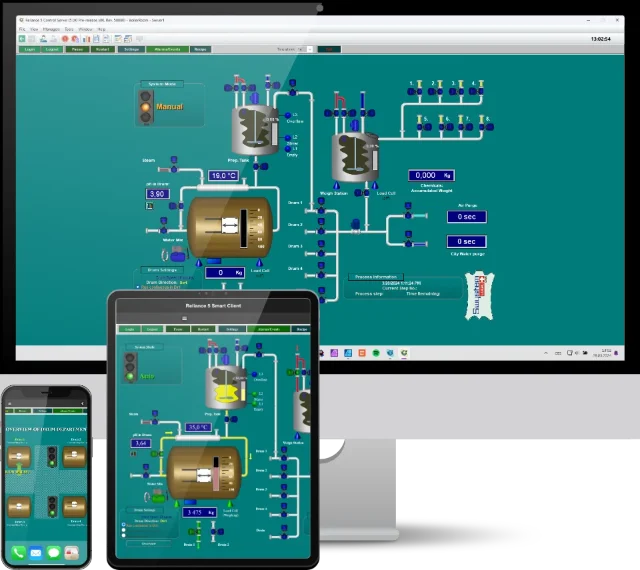
Siemens Communication Driver is intended for data connection between Reliance's runtime software and Siemens control systems through Ethernet.
They are SIMATIC S7-200, S7-300, S7-400, S7-1200, S7-1500, and LOGO! The development environment allows you to import tags from the TIA Portal and STEP 7 development environments in the *.XLSX format and data structures from files containing structured text definitions in accordance with IEC EN 61131-3. Communication between the driver and devices is based on the request–response principle. The driver is launched by Reliance's runtime software at visualization project startup.

Tip:
Watch the video, that shows how simple it is to connect a Siemens SIMATIC PLC to the Reliance SCADA system.

Supported Reliance versions
The communication driver is supported in both Reliance 5 and Reliance 4.
Data is read periodically or based on a one-shot request of Reliance’s runtime software. When reading periodically, the tag value is updated at a configured interval. One-shot reading is used for tag-controlled data reading. Communication packets are built dynamically according to data quantity requirements. Data writing is based on a one-shot request of the runtime software.
C-Counter
WORD
DB-DataBlock, M-Internal Memory
BOOL, BYTE, WORD, DWORD, INT, DINT, REAL, DATE, DATE AND TIME, S5TIME, TIME, TIME OF DAY, CHAR, STRING, ARRAY OF BOOL, ARRAY OF BYTE, ARRAY OF WORD, ARRAY OF DWORD, ARRAY OF INT, ARRAY OF DINT, ARRAY OF REAL
I-Discrete Inputs, Q-Discrete Outputs, PI-Peripheral Inputs, PQ-Peripheral Outputs
BOOL, BYTE, WORD, DWORD
T-Timer Values
DWORD
Structured data types can also be defined.
If you have any questions, please feel free to email or call us.
Phone:
Info:
Sales:
Suppor:


Phone:
Info:
Sales:
Support:

Phone:
Info:
Sales:
Support:
GEOVAP
Cechovo nabrezi 1790
530 03 Pardubice
Czechia
© 2026 GEOVAP | Terms of Use and Privacy Policy | Cookie preferences | Write to us